> For the complete documentation index, see [llms.txt](https://docs.valorx.com/llms.txt). Markdown versions of documentation pages are available by appending `.md` to page URLs; this page is available as [Markdown](https://docs.valorx.com/valorx-fusion/design-studio/tasks/dataset.md).
# Dataset
Dataset Task can combine or find intersect records from two to ten dataset retrieved by Query Tasks by using AND/OR operator.
To get started with creating a **Dataset Task** open an **Excel** and click **Start** from **Valorx Fusion Ribbon**.
Now, open an app from **Connections List** in **Design Studio**, and click on **Task** and select **New Dataset Task.**

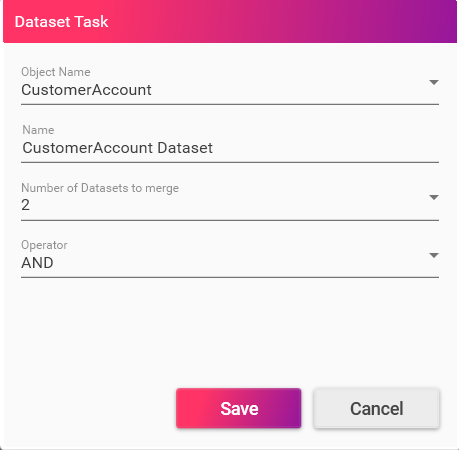
**Dataset Task** bar will open which will contain Object Name, Name, Number of Dataset to merge and Operator.