> For the complete documentation index, see [llms.txt](https://docs.valorx.com/llms.txt). Markdown versions of documentation pages are available by appending `.md` to page URLs; this page is available as [Markdown](https://docs.valorx.com/valorx-wave/matrix/matrix-overview.md).
# Matrix Overview
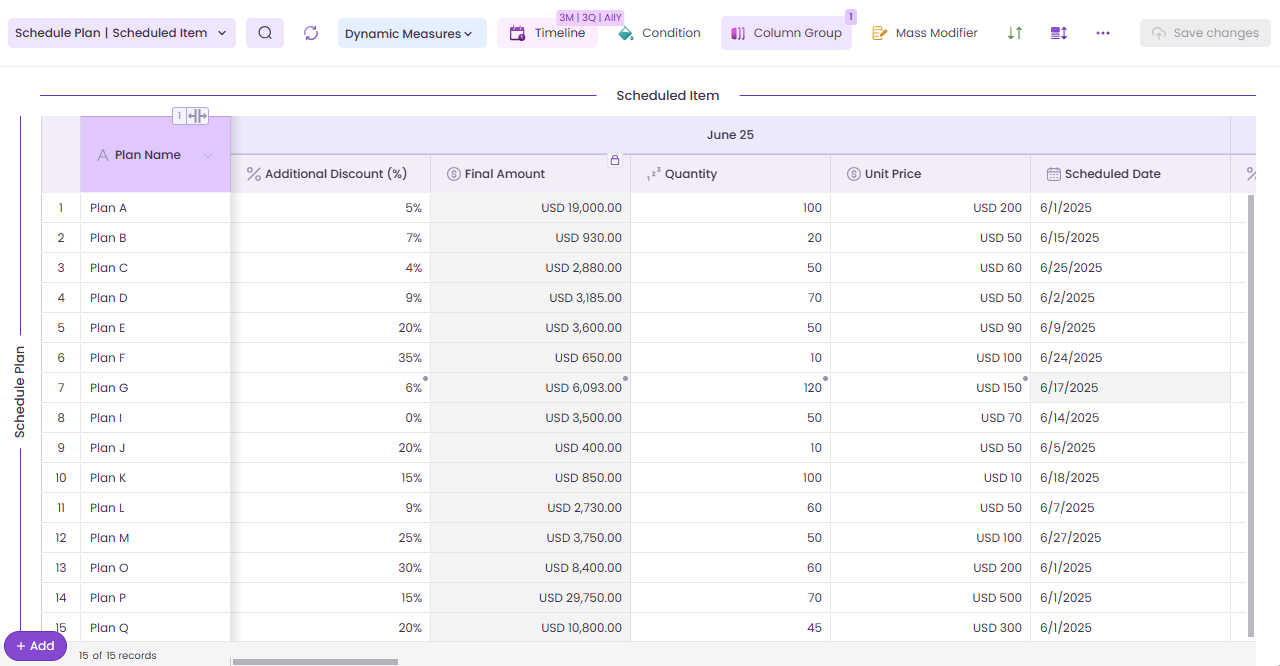
The **Matrix** feature in Valorx Wave empowers users to connect and display data from **multiple Salesforce objects** within a single grid. With a familiar, **Excel-like interface**, users can **view and bulk edit data** using intuitive grid controls.
Just like **Excel pivot tables**, Matrix enables:
* **Dynamic column groupings** with one or multiple dimensions
* **Summarization of data** at group and sub-group levels
* Easy exploration of complex datasets in a highly visual layout
Whether you're analyzing sales performance or reviewing customer data, Matrix brings powerful data visualization and manipulation **right into Salesforce**—no spreadsheets required.
Matrix is available in **both Wave Extension** (browser-based using Chrome or Edge) and **Wave Embedded** (directly inside Salesforce), offering consistent configuration and runtime experiences with platform-specific navigation.
Matrix
***
## Key Capabilities
**Multi-Object Support**: Connect and display data from one or more related Salesforce objects.
* **1-Object Matrix**: Forecasting revenue by customer or product.
* **2-Object Matrix**: Sales pipeline scheduling by opportunity and product.
* **3-Object Matrix**: CPQ scenarios, product pricing models, revenue allocation.
2-Object Matrix
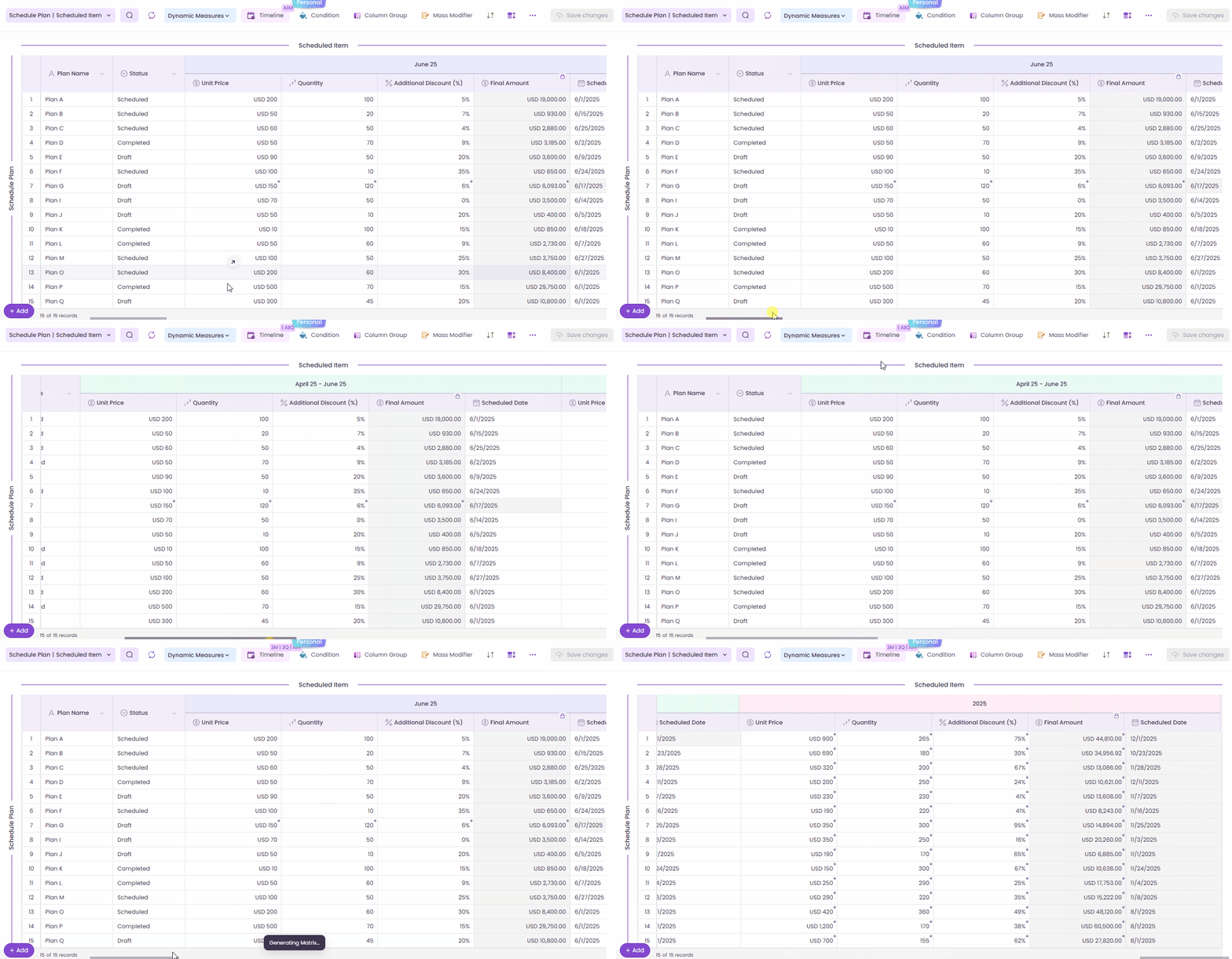
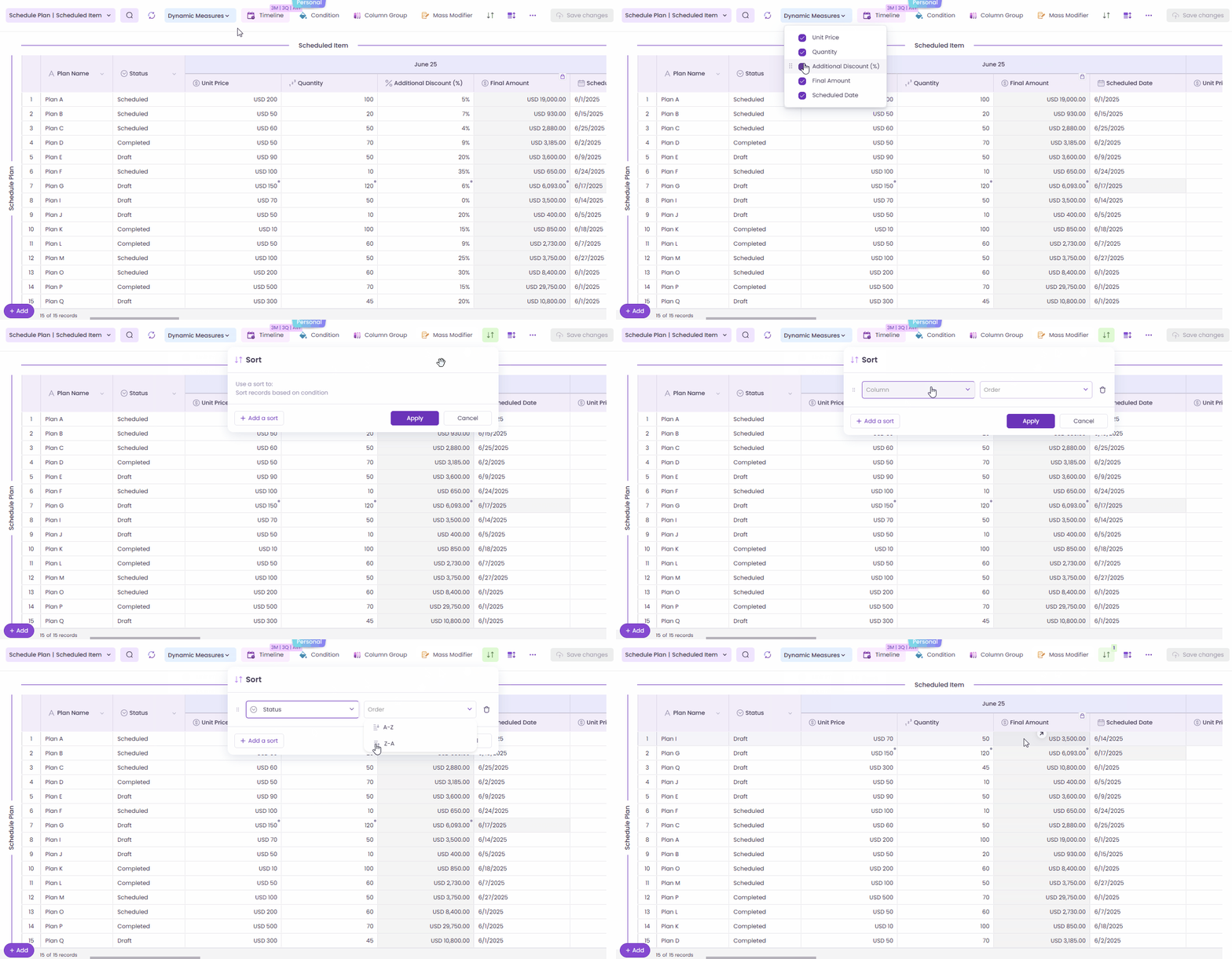
**Excel-Like Interface**: Use grid tools like filters, sorting, mass editing, and dynamic measures to handle large volumes of Salesforce data with ease.
**Feature Highlights**:
* Inline Editing with real-time sync to Salesforce
* Conditional Logic and Column Grouping
* Dynamic Column Grouping and Pivoting
* Telescoping Rows and Summarization
* Mass Modifier Actions
* Lookup Support with Sync Filters
* Custom Column Headers, Styling, and Actions
***
## Matrix User Roles
Matrix supports two roles:
* **Designer**: Can create, configure, and publish Matrices.
* **Standard User**: Can view and interact with published Matrices in runtime.
* Learn more about roles and permissions \[[here](/valorx-wave/wave-admin-and-control/wave-settings.md#user-roles-admin-user-and-standard-user)].
> 🔐 *Field-level visibility and editability are defined at the configuration level and governed by user permissions.*
***
## Platform Availability
| Feature | Wave Extension (Browser) | Wave Embedded (Salesforce) |
| -------------------- | ---------------------------------- | --------------------------------------------------- |
| Matrix Configuration | ✅ Via **Create New Matrix** button | ✅ Via **Add New → Matrix** or **Matrix Wizard** tab |
| Matrix Runtime | ✅ Yes | ✅ Yes |
| Matrix Home Screen | ✅ Available | ❌ Not Available |
| Matrix Launcher | ✅ Available | ❌ Not Available |
***
## Visual Guidance by Platform
To support users in both **Wave Browser Extension** and **Wave Embedded**, this section offers clear visual references to key Matrix components. Although both platforms share the same core UI, the **access points**, **workspace behavior**, and **available features** may differ. Each screenshot provided is clearly labeled by platform, with annotations where differences exist.
### Matrix Configuration Screenshots (Wave Browser Extension & Wave Embedded)
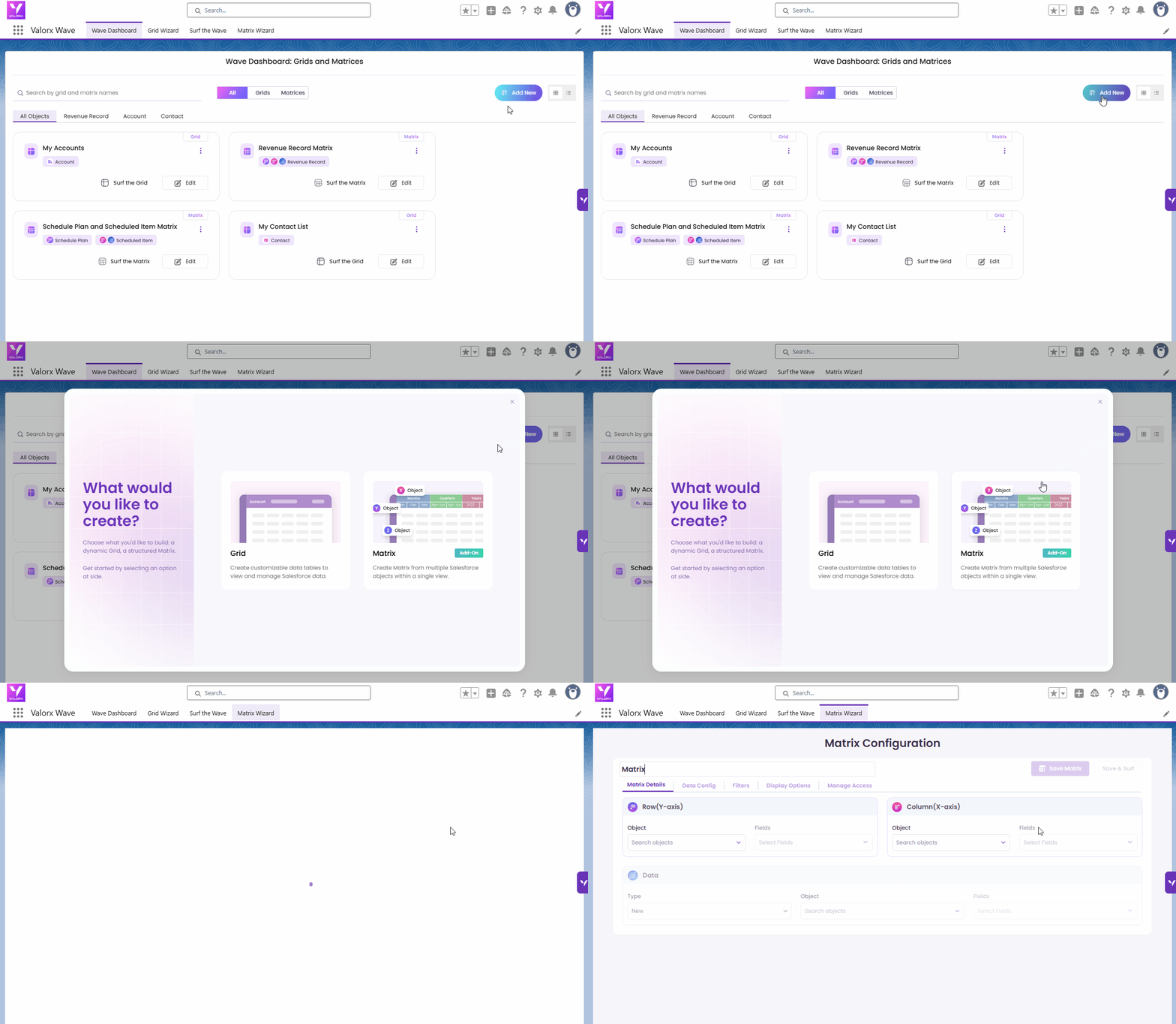
The **Matrix Configuration** page (also known as the Matrix Wizard) is identical across both platforms in terms of UI structure and layout. However, the method for accessing it varies:
* **Wave Extension**\
Users can simply click **Create New Matrix** on the main dashboard. This immediately launches the Matrix Wizard—there is no separate Matrix tab.
Wave Browser Extension - Create New Matrix
* **Wave Embedded**\
Users can:
* Click **Add New** and select **Matrix**, or
* Navigate directly to the **Matrix Wizard** tab within the Salesforce interface.
Wave Embedded - Add New Matrix
***
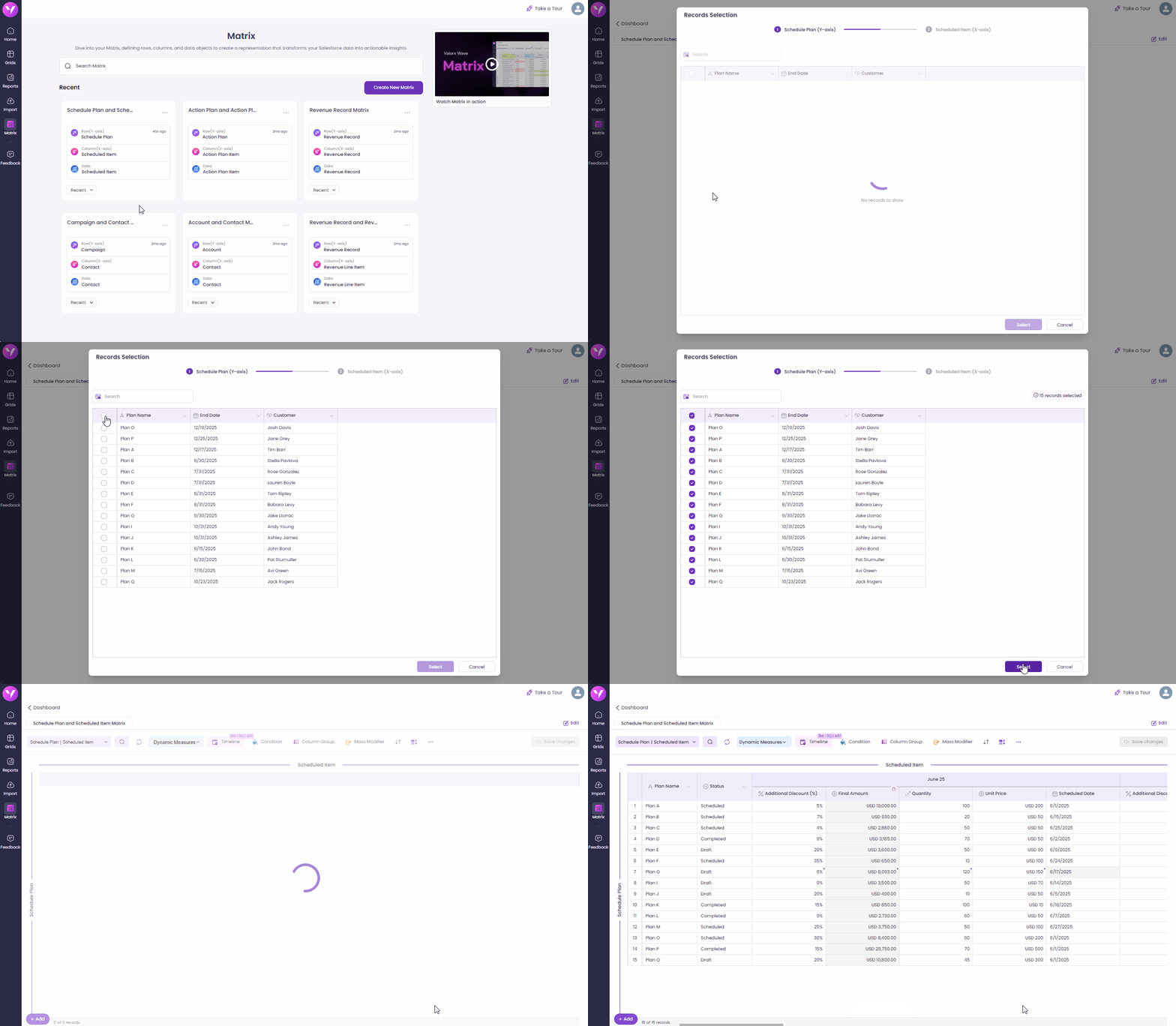
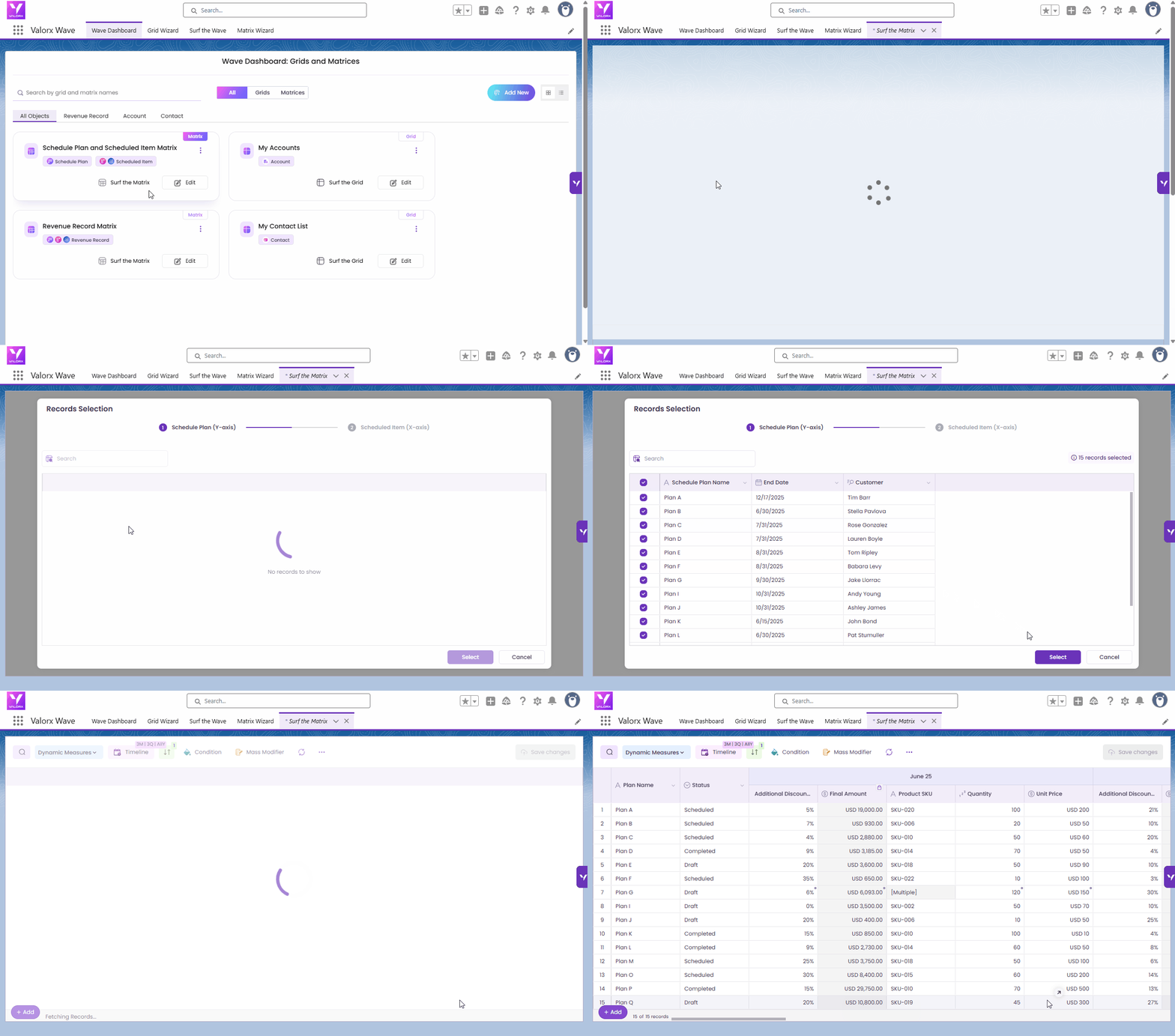
### Matrix Runtime Screenshots (Wave Browser Extension & Wave Embedded)
The **Matrix Runtime interface**—where users interact with live data—is **functionally identical** across both platforms: **Wave Browser Extension** and **Wave Embedded**.
There are **no visual or functional differences** in the Matrix Runtime itself. The **only difference lies in how users launch the runtime**:
* **Wave Extension:** Click **Run** on the Matrix Card
Wave Browser Extension - Runtime
* **Wave Embedded:** Click **Surf the Matrix** on the Matrix Card
Wave Embedded - Matrix Runtime
{% hint style="info" %}
***Note:** Both platforms use the same **Matrix Configuration** and **Matrix Runtime** components. However, Matrix in Wave Embedded is still evolving. While the configuration and runtime flows are nearly identical to Wave Extension, some advanced features may not yet be available.*
{% endhint %}
***
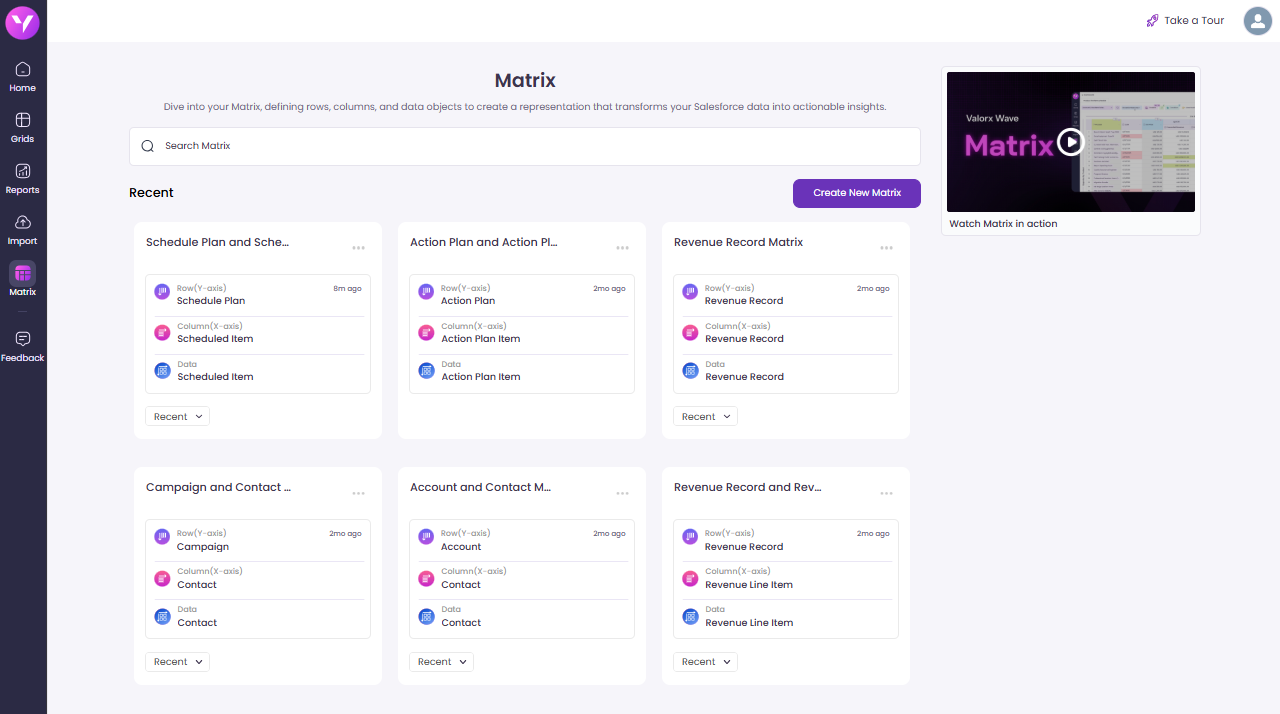
### Matrix Launcher / Matrix Screen (Wave Extension Only)
These features are **available only in Wave Extension** and are designed to enhance flexibility and quick access within the browser extension experience.
* **Matrix Screen:** A dashboard-style screen displaying all saved matrices. From here, users can easily open, edit, duplicate, or delete matrices.
Matrix Screen - Wave Extension
* **Matrix Launcher:** A productivity feature that allows users to access matrices directly from Salesforce pages. Clicking the button opens the matrix in Wave Extension, enabling faster workflow launches without navigating through the full interface.
***
## Explore More
{% content-ref url="/pages/IXU7IN6WGg6v74AFgLFf" %}
[Matrix Screen](/valorx-wave/matrix/matrix-screen.md)
{% endcontent-ref %}
{% content-ref url="/pages/309VTXFMBeFBzBOF1W5o" %}
[Matrix Configuration](/valorx-wave/matrix/matrix-configuration.md)
{% endcontent-ref %}
{% content-ref url="/pages/FhLPO3CYUPN7VxSyKtnE" %}
[Matrix Runtime](/valorx-wave/matrix/matrix-runtime.md)
{% endcontent-ref %}
{% content-ref url="/pages/uzx5073SlMXLvUtwXleH" %}
[Matrix Launcher](/valorx-wave/matrix/matrix-launcher.md)
{% endcontent-ref %}