> For the complete documentation index, see [llms.txt](https://docs.valorx.com/llms.txt). Markdown versions of documentation pages are available by appending `.md` to page URLs; this page is available as [Markdown](https://docs.valorx.com/valorx-wave/release-notes/wave-browser-extension/archived-release-notes/wave-version-22.md).
# Sept 23 Release (v21)
### About the September Release
The September 2023 release includes the enhancements and bug fixes below for a finer user experience.
1\. Enhancements in the Grid View screen
2\. Enhancements in the Report Mapping Function
3\. Enhancements in the Settings screen
### Enhancements Details
**1. Enhancements in the Grid View screen**
Considering the user's ease, we have made three enhancements to the Grid View screen.
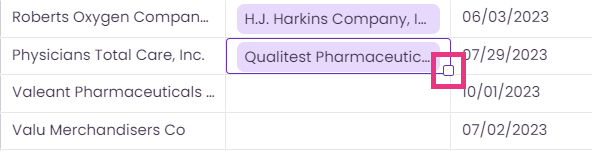
1. We have released a new feature: **Double Click the Drag Icon to copy records** in the column cells. This feature makes copying record values in Valorx Wave as swift as Excel and Google spreadsheets.
> When the user clicks on any cell, the Drag icon appears.
The Drag Icon in the Grid View Screen
> The user can double click the Drag icon to copy the record values in the column cells.
>
> * If all column cells are empty, the record value of the selected cell will be copied to them.
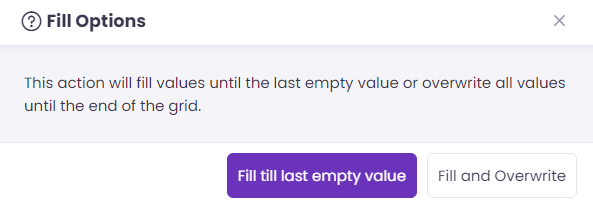
> * If values exist in a few cells, the **Fill Option** message will appear, as shown in the image below. The user can choose the fill options as per requirements.
The Fill Options Message
This feature will not be available to the Boolean fields (The fields with the checkbox or tick mark).
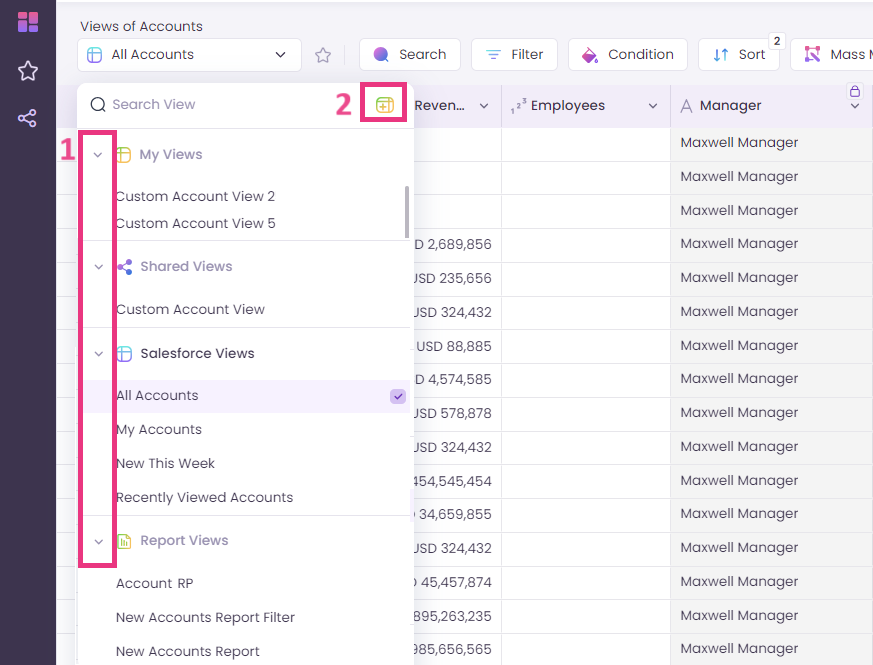
2. There are two enhancements in the **View Selection** drop-down list.
> 1. The four sections (My Views, Shared Views, Salesforce Views, and Report Views) in the View Selection drop-down list are collapsible now. This will give the user more organized eyeshot of their Views.
> 2. The Create new view **text link** is **replaced** with the Create new view **icon** and placed at the top right in the drop-down list.
3. Now the user can choose how many records they want to load in a single scroll.
> When the user hovers over Record Counts on the bottom left side of the screen, it will expand and show the count options. The user can select any option or click on the Edit icon to enter any desired number.
**2. Enhancement in the Report Mapping Feature**
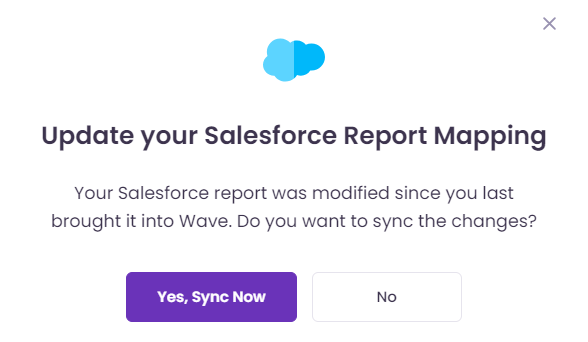
If any changes are made to the Salesforce Report after mapping it with Valorx Wave Mapped Report View, the **Update your Salesforce Report** **Mapping** message will appear when the user opens the Mapped Report View.
The Update your Salesforce Report Mapping Message
**3. Enhancements in the Settings screen**
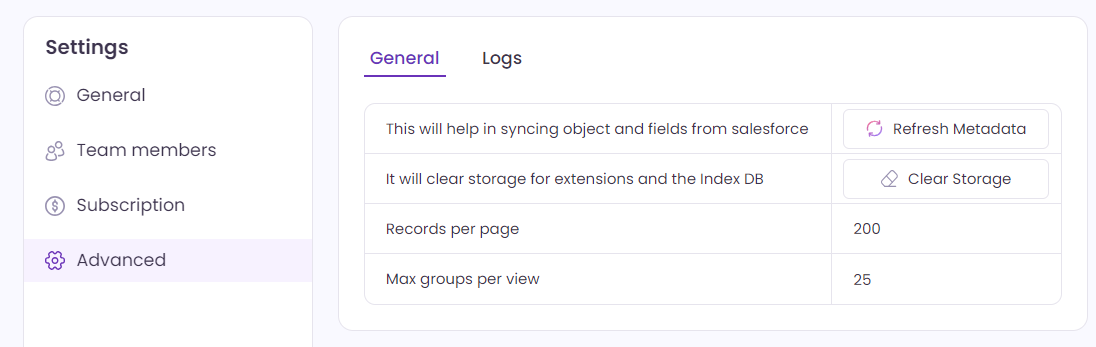
The Advanced section in the Settings is redesigned.
The New Design of the Advanced Section in the Settings Screen
***
### Bug Fixes
* The payment workflow works accurately.
* Wave usage logs are captured consistently.
* User deactivation works properly.