> For the complete documentation index, see [llms.txt](https://docs.valorx.com/llms.txt). Markdown versions of documentation pages are available by appending `.md` to page URLs; this page is available as [Markdown](https://docs.valorx.com/valorx-wave/release-notes/wave-browser-extension/archived-release-notes/wave-version-23.md).
# Oct 23 Release (v23)
### About the October Release
The October 2023 release includes critical enhancements and bug fixes in addition to an array of interesting new features. The goal remains the same: to make the user experience more efficient.
### Introducing New Features
**1. Feedback**
A **Feedback** feature has been introduced by which the users can submit their valuable feedback and also rate the product as per their experience.
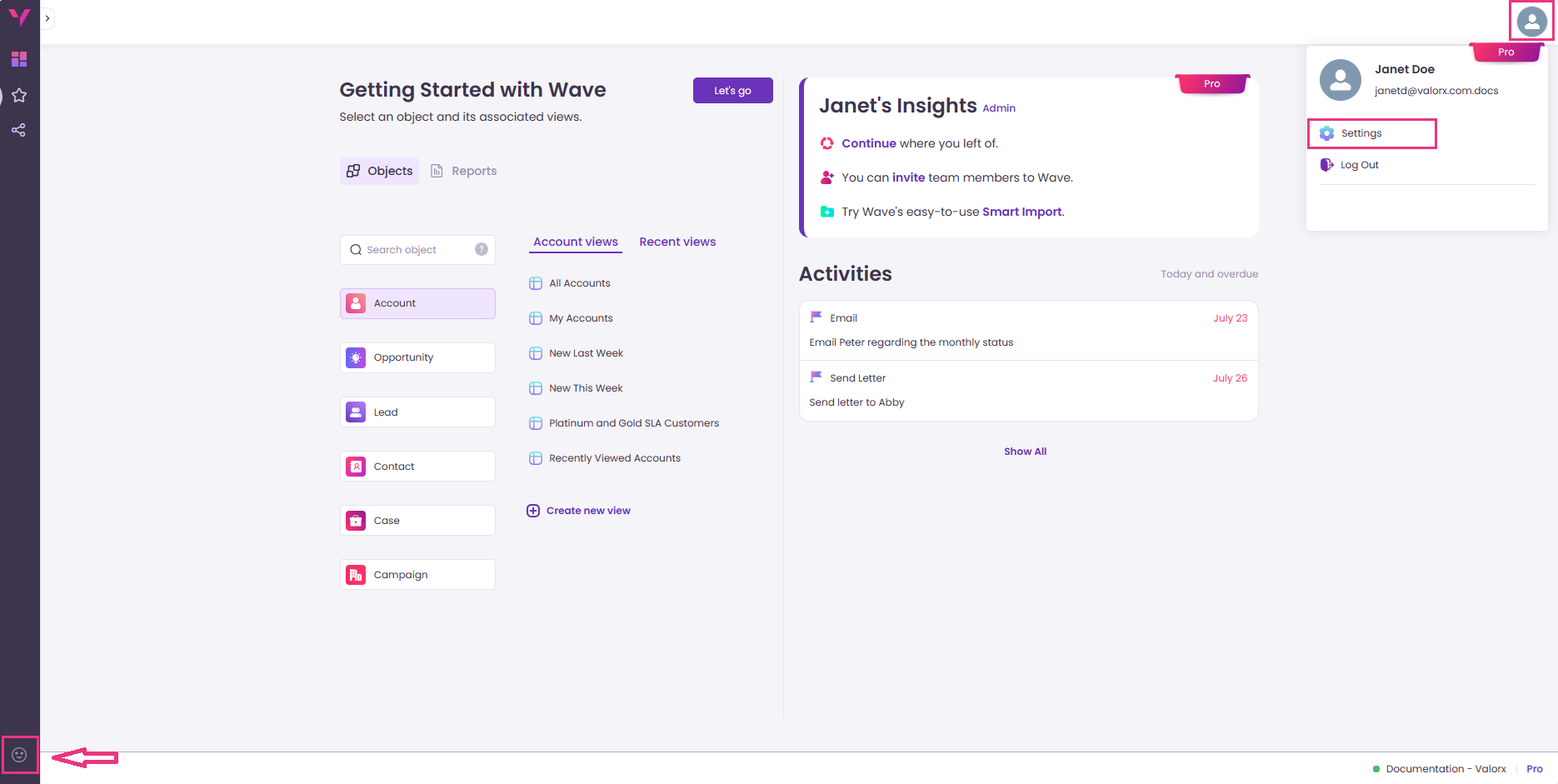
> Feedback can be accessed from **Settings** in the **User Profile** and from the **sidebar** on the bottom left.
Settings in User Profile
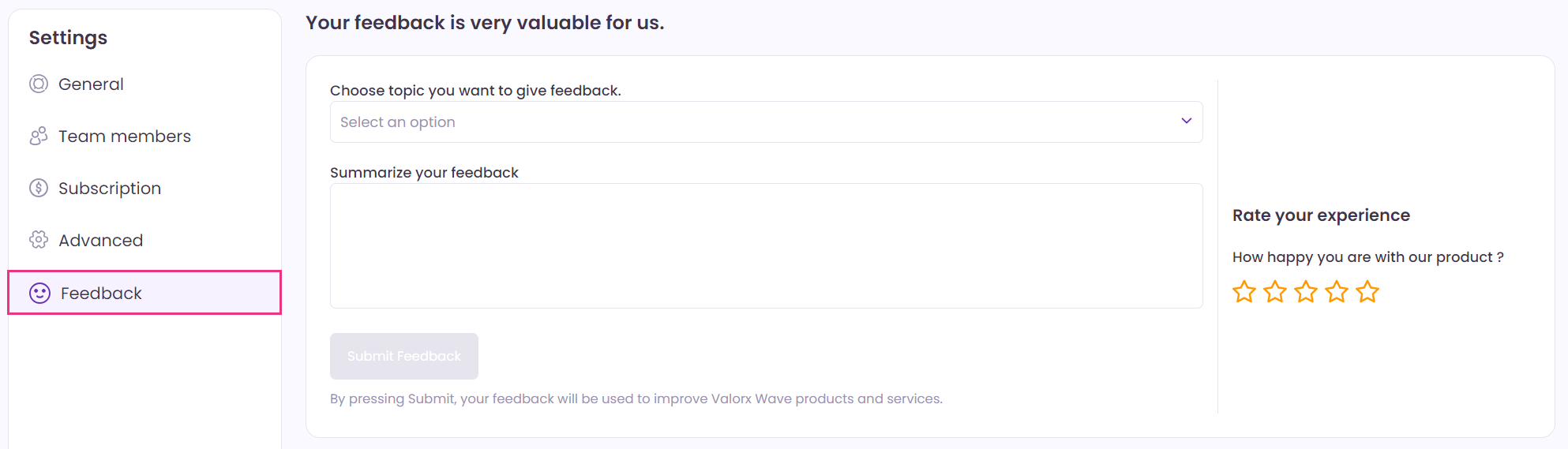
> The user can choose the topic related to which one wishes to submit the feedback and describe the details in the box given below. Users can also provide their rating out of five stars.
Feedback In Settings
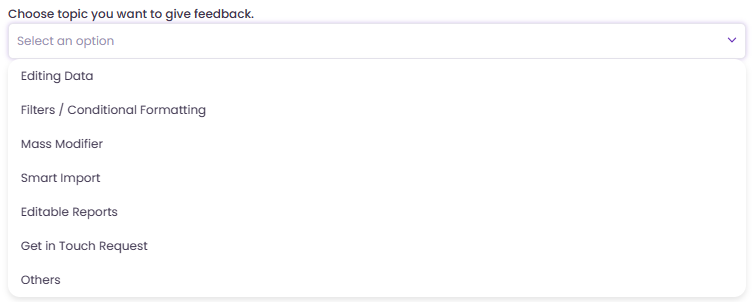
> The required feedback **topic** can be selected from the drop-down as shown in the image below:
Feedback Topics
**2. Scope Filters**
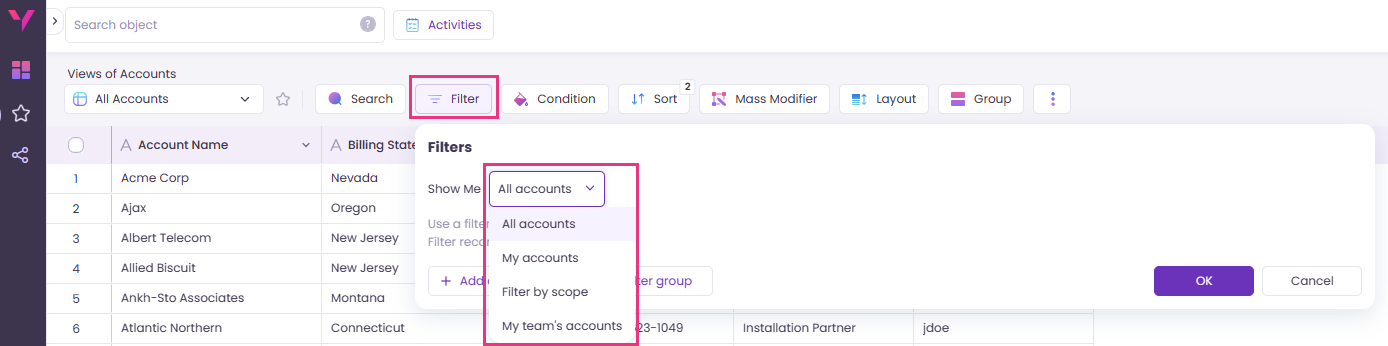
Valorx Wave now supports **Scope Filters** for filtering the Grid records more effectively.
> The user can select **Filter** on the Grid View screen and access the Scope Filters using the drop-down.
Scope Filters
### Enhancements
1. The **Standard Salesforce Views** has been provided with enhanced capabilities.
> The user can seamlessly perform the desired operations such as reordering of fields, Conditional Formatting, Grouping, Layout, etc., without worrying about creating new Custom Views every time. All the changes can be performed directly upon the Standard Views, and it will remain saved for future use.
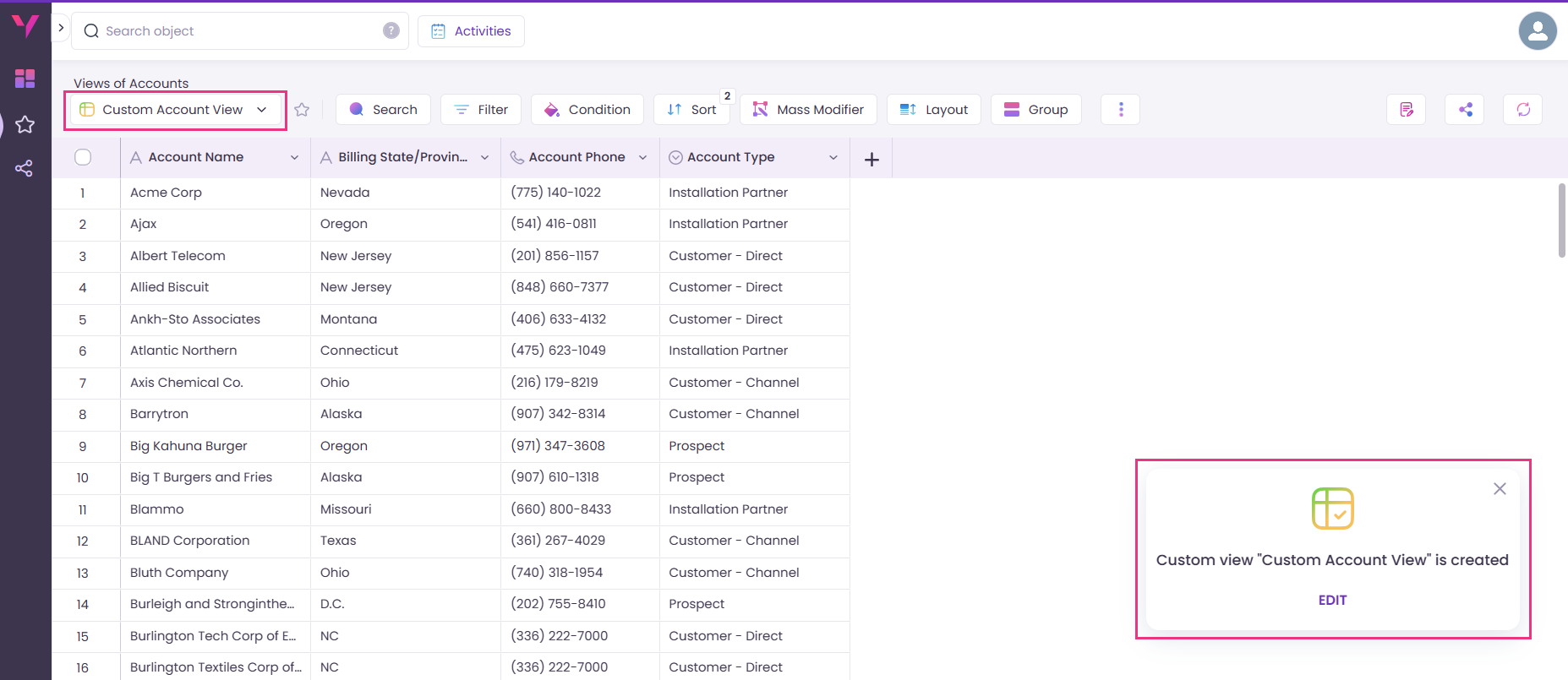
> A **Custom View** is created only while performing the following operations: Add/Remove fields, Filter and Sort. And even this is done automatically, so the user need not take the hassle to do it manually. Once the Custom View is created, a toast notification is displayed as shown in the image below:
Automatic creation of a Custom View
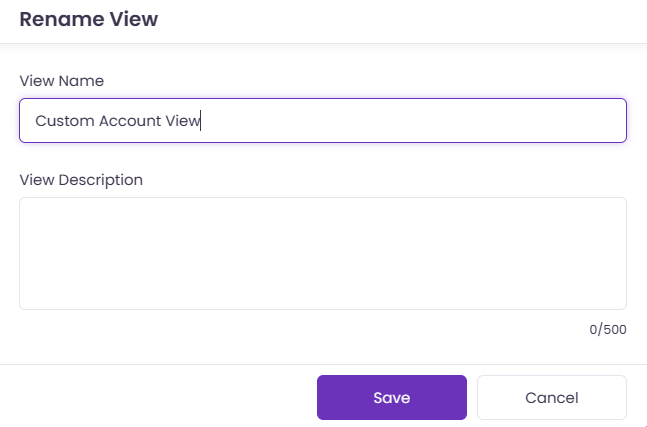
> The default View Name can be changed by clicking **Edit** in the toast notification.
Rename View Name
2. The Standard and Pro plan users can now purchase **additional licenses** by clicking **Buy more** from **Subscription** section in **Settings.** It will display the Payment Details screen where the user can select the number of seats to be purchased and make the payment accordingly.
3. Accessibility Improvements:
* Users will now receive an informative **notification** to disable the 'Block third-party cookies' option from the browser settings, in the event that they are unable to access the Wave floaty on Salesforce.
* Valorx Wave is now more accessible while navigating with a keyboard. The users can smoothly navigate within various Wave screen interfaces using **Tab**, **Spacebar** and **Enter** keys.
4. Valorx Wave now facilitates sending invites and assigning licenses to **multiple individuals** at a time.
***
{% hint style="info" %} **Important Remarks:**
1. In order to facilitate a seamless onboarding, **any user** is now permitted to **add a new Org** and enter Wave if the Maximum Org limit has not been reached. Prior to this release, only the Admin members had the right to add a new Org.
> Note: There is no Maximum Org limit for the Pro and Standard plans. However, the Max Org limit for the Free plan is 2.
2. The **Owner** field in all objects is now set to lookup to the **User** object by default. As a result, users can choose the Owner field value from the list of available User object values.
{% endhint %}
***
### Bug Fixes
* The issues related to Payment Details page has been resolved.
* Reports can be mapped correctly using the Wave floaty on Salesforce Report page.
* The challenges encountered while using the Wave floaty on Salesforce have been fixed.