> For the complete documentation index, see [llms.txt](https://docs.valorx.com/llms.txt). Markdown versions of documentation pages are available by appending `.md` to page URLs; this page is available as [Markdown](https://docs.valorx.com/valorx-wave/release-notes/wave-browser-extension/archived-release-notes/wave-version-9.md).
# Jan 23 Release (v9)
Announcing **Valorx Wave** – **Jan 23 Release (V9)**
Valorx Wave is excited to announce the ninth release note in which we have an enhancement and fixed a few issues to give you all a better product experience.
#### New Features:
#### Group:
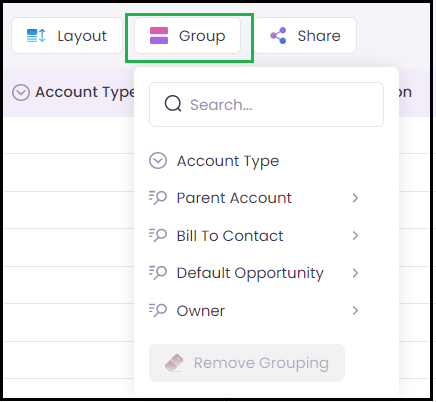
Valorx Wave V9 is back with another feature for our Group header which is Grouping for Lookup. This feature allows users to sort and organize the similar type of data which will make it easier to view the data together. Users will be allowed to edit or remove grouping.
* Select Group and now, select the Lookup object to view the fields.
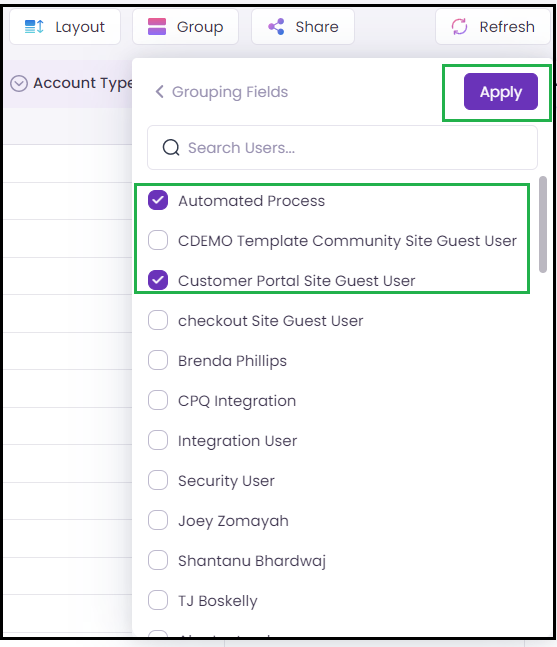
* Select the fields which need to be grouped and click Apply.
* Now, users can find all the data grouped together.
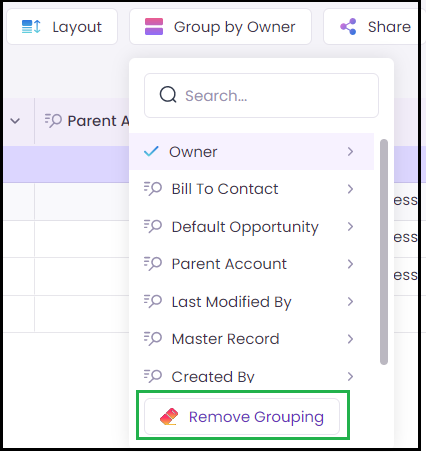
* Click Remove grouping to remove the grouping applied.
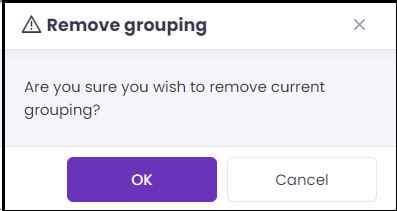
* Click **Ok** to remove the current grouping.
#### Dependent Type Picklist:
A dependent type of picklist is one of the new features which we have introduced in V9. This feature replicates our Salesforce org-dependent picklist. Hence, the picklist is always dependent on the previous selection made.
#### Advanced Search:
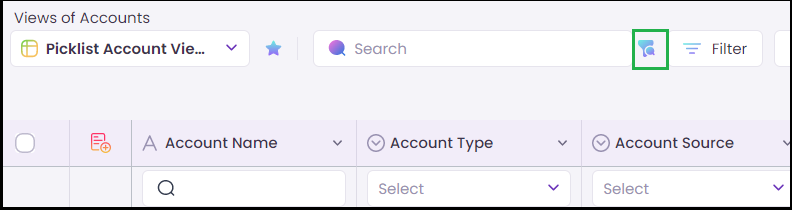
V9 is back with another enhanced feature of our Global Search. Users will now find the Advanced Search besides Search in Toolbox. Users can enable and disable these search options by simply clicking on it.
#### Header Dropdown:
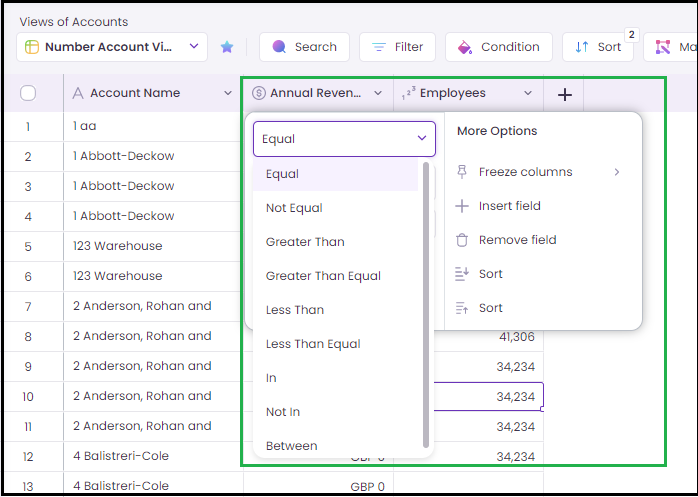
V9 has introduced two new “Date” and the “Number” filters on header dropdown. Users will now be able to view and apply date filters and also to apply number filters which will display the values as per the filters applied.
#### Enhancements
* Conditional formatting, Color bar, and Condition group will now have the new design when compared to V8.
#### Bug Fixes:
* Error overlay location is showing on left instead of right side which is now fixed.
* Date picker does not highlight the selected month and year.
* Dependent picklist does not clone all the values instead it clones only the first value.
* No Fill option in the Color bar does not work when the user remove some value colors and again try to assign the color.
* Lookup overlay does not close in extended mode when it is clicked outside the area.
* Clear all Filter button appears on top after clearing all the filter conditions.
* Default value for number filter shows as 0.0 instead of 0 which is now fixed.
* Multiselect Picklist expander behaves unexpectedly while using Global and Header search.
* Limit chars need to be specified in “View Name” and “View Description” to avoid unwanted errors.
* Dependent picklist values are not editable when the changes are reverted and last dependent value is saved with the second column value.
* All the values are checked instead of the selected values in header dropdown filter.
* Error does not appear properly in Floaty.
* Default “Dollar” symbol is assigned for single and multiple currencies.
* Unsaved changes in the grid disappears after applying Mass Modifier or Sort.
* Layout auto-size columns should be limited to text area.