
Create the Lightning Component
| If you want to... | Use |
|---|---|
| Add a Grid to a custom Salesforce component | Aura Component |
| Add a Grid to a guided Salesforce process | Screen Flow |
| Build a custom Salesforce component and control the Grid through code | Lightning Web Component (LWC) |
Create the Lightning Component
| Parameter | What it does |
|---|---|
| Grid ID | Identifies the Grid you want to display. Use the format ObjectName::GridId. |
| height | Sets the height of the Grid. |
| canChangeGrid | Allows users to switch between Grids for the same object when enabled. |
| relationshipName | Specifies the Lookup Relation Name for a Related Grid. |
| recordId | Specifies the Parent Record ID for a Related Grid. |

Add Valorx Grid and Related Grid
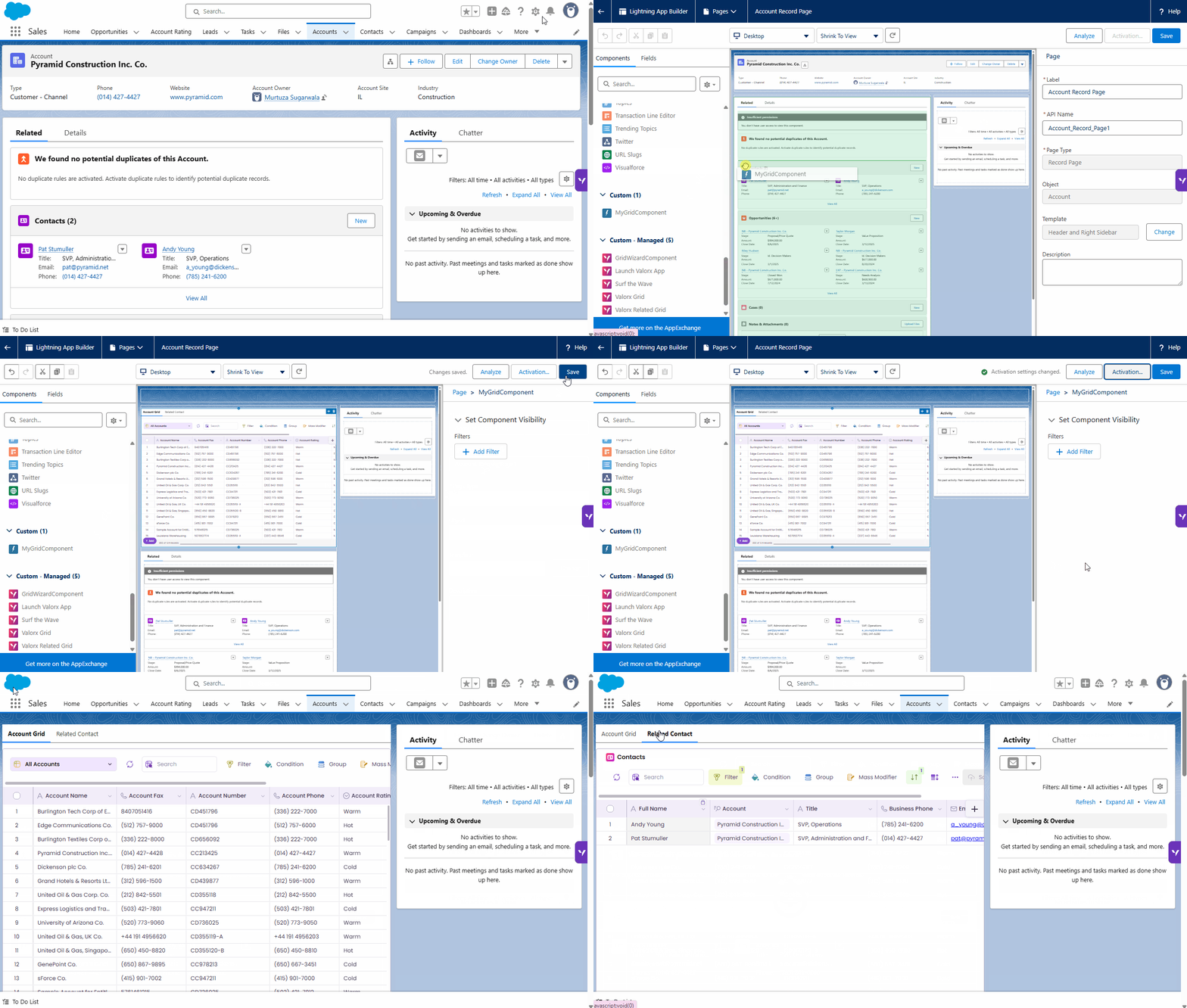
Deploy the Component on a Record Page
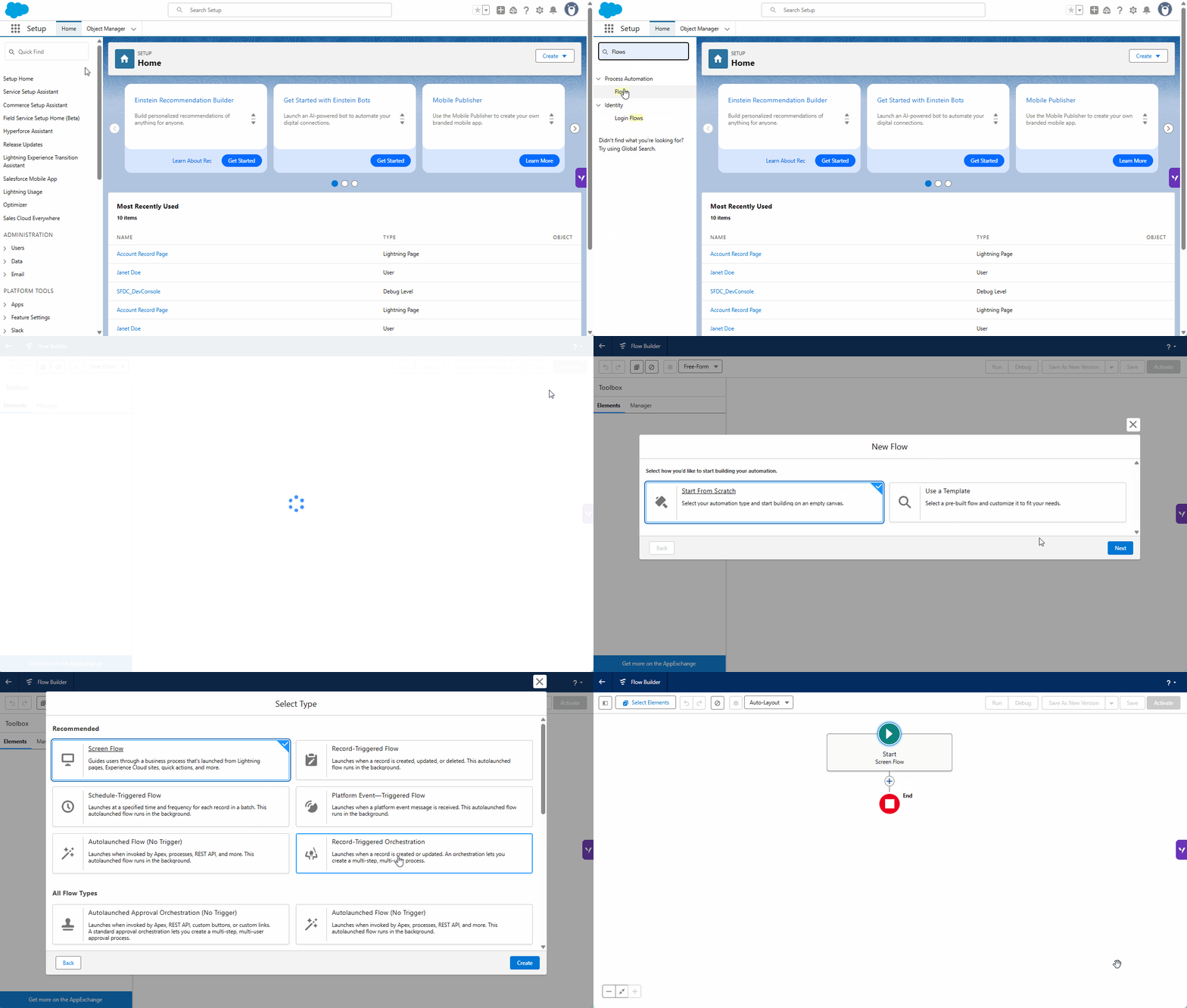
Create a new Flow
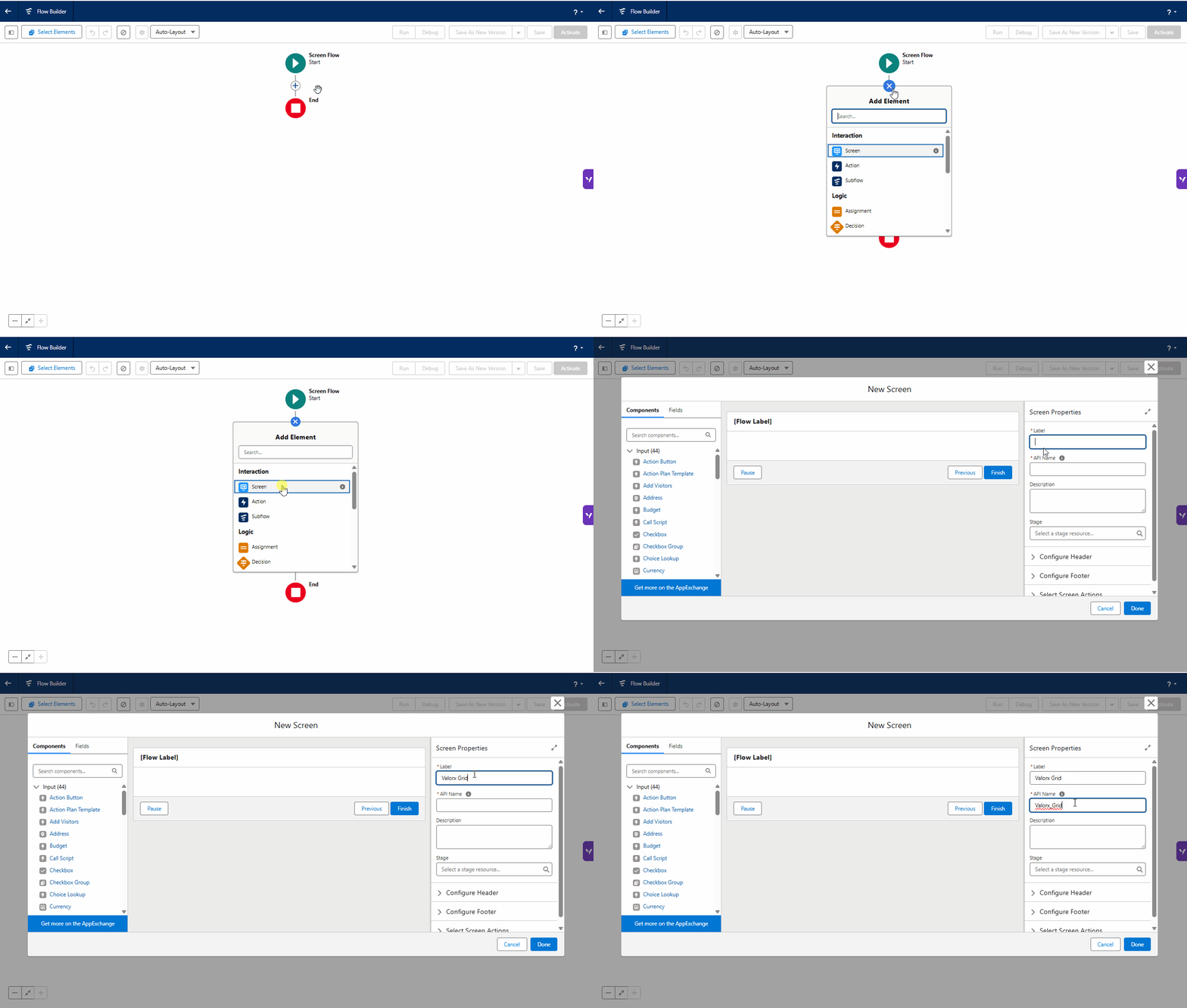
Add a Screen Flow
| Property | What it does |
|---|---|
| API Name | Specifies the component's API name. |
| Grid ID | Identifies the Grid you want to display. Use the format ObjectName::GridId. |
| Height | Sets the height of the Grid. |
| Allow Changing Grids | Allows users to switch between Grids for the same object when enabled. |

Embed Valorx Grid in the Screen Flow
| Property | What it does |
|---|---|
| Grid ID | Identifies the Related Grid you want to display. |
| Height | Sets the height of the Related Grid. |
| Allow Changing Grids | Allows users to switch between Grids for the same object when enabled. |
| Relationship Name | Specifies the Lookup Relation Name used to connect the related records to the parent record. |
| Record ID | Specifies the Parent Record ID. |
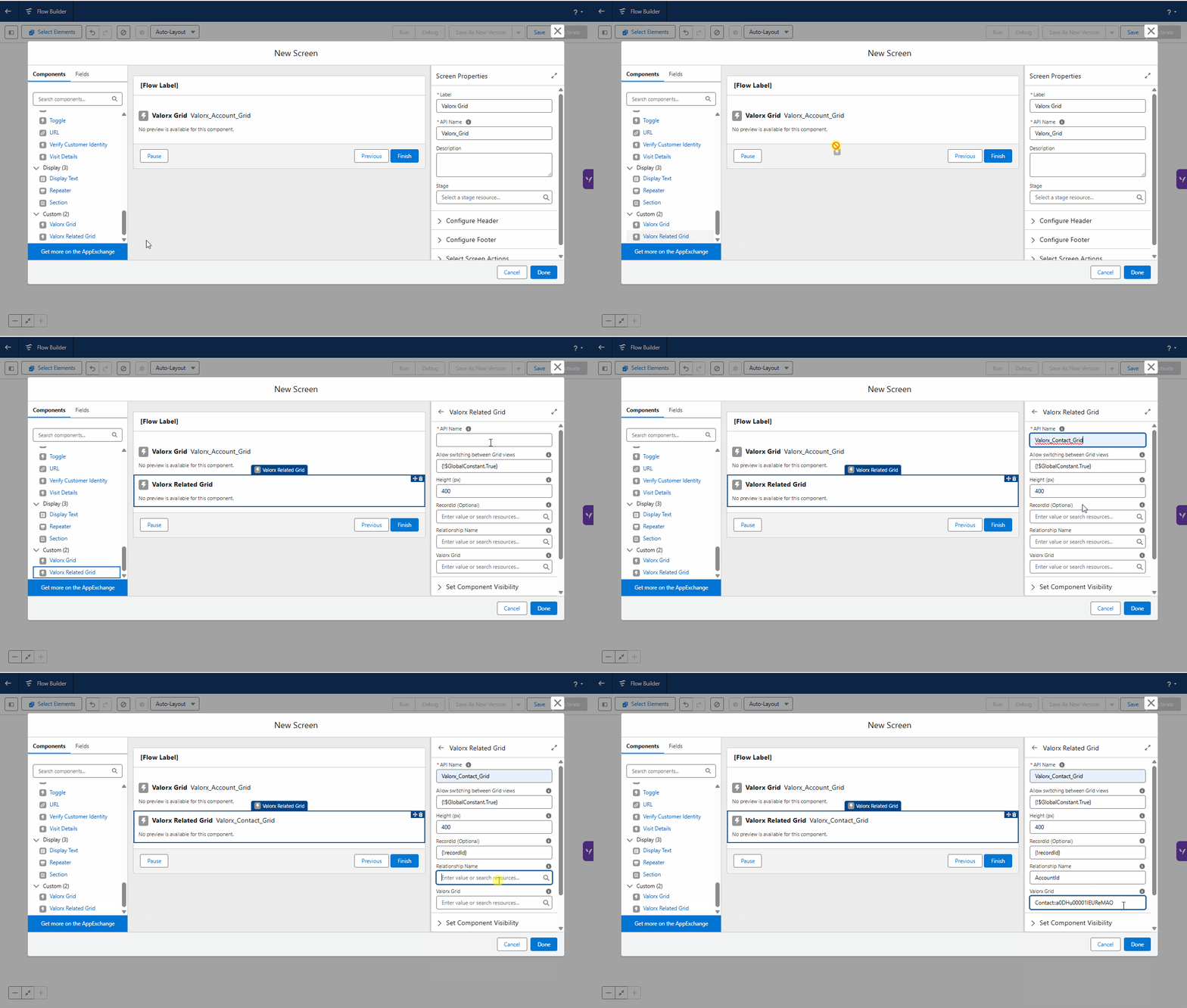
Embed Valorx Related Grid in Screen Flow
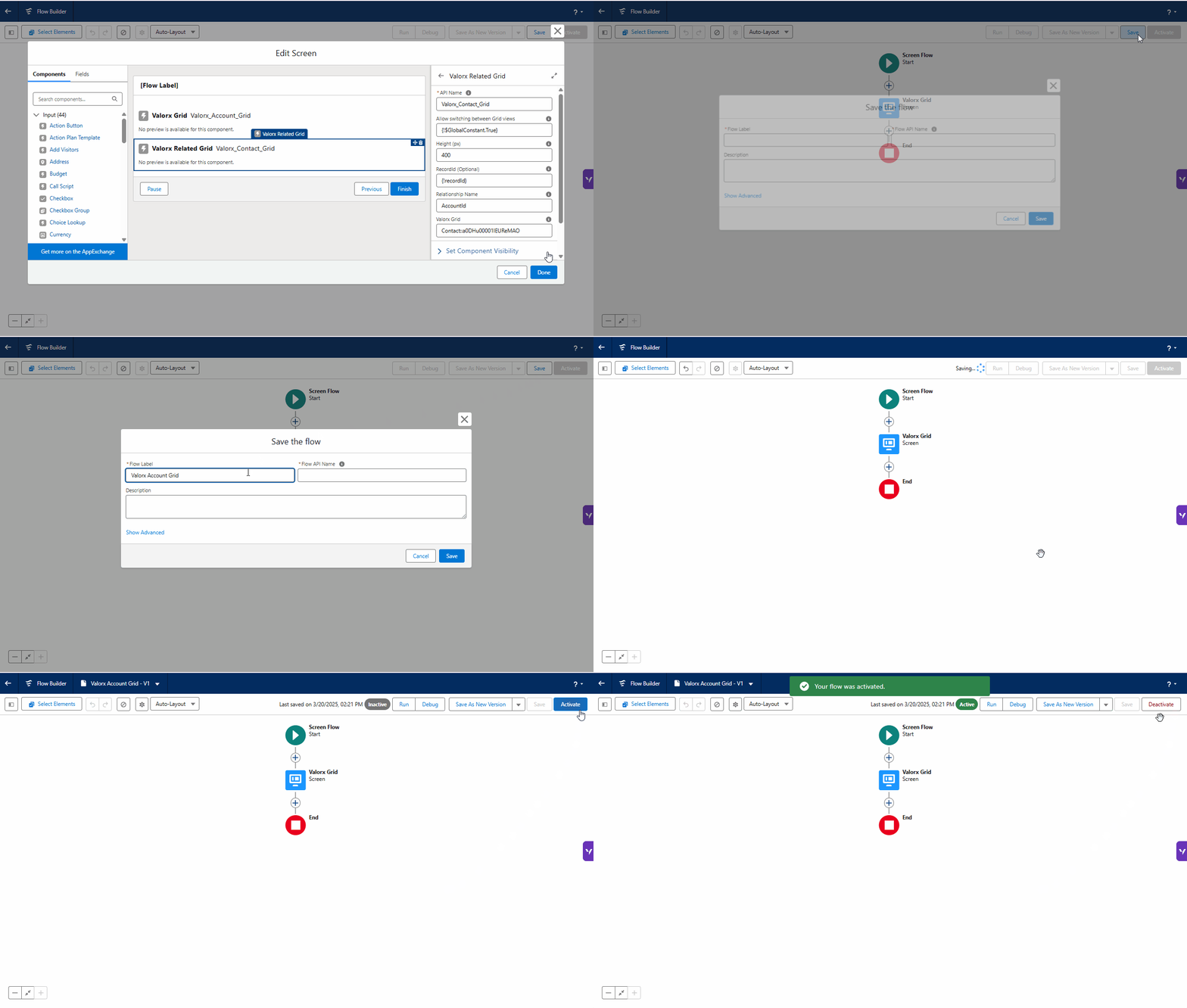
Save and Activate the Flow
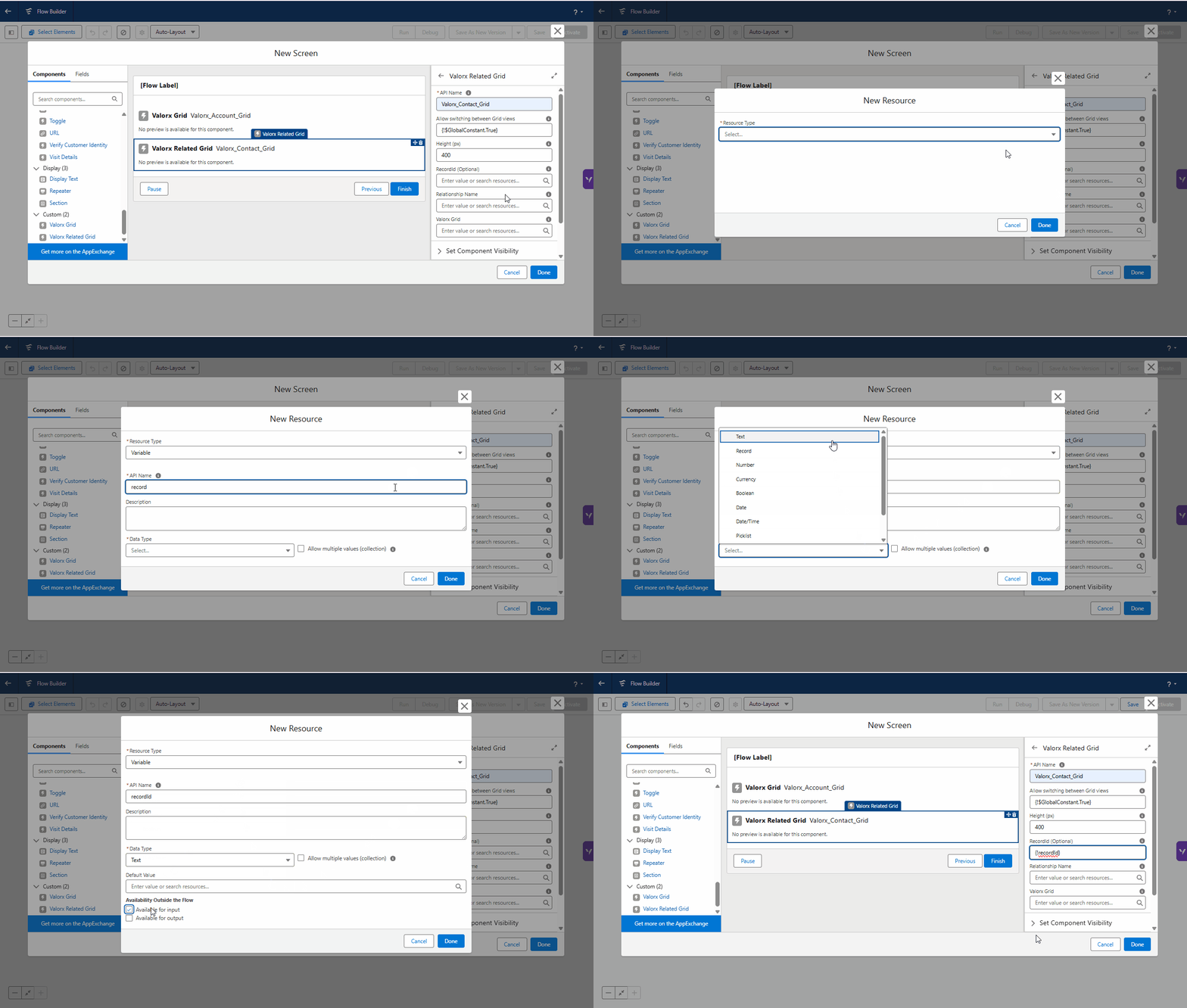
Add an Input Variable in Flow
| Requirement | Details |
|---|---|
| Valorx Wave package | The Valorx Wave managed package must be installed. |
| User permission | Assign Vx Grid Runtime User to users who need to use the Grid. If they also build Grids, assign Vx Grid Design Studio User. |
| Experience Cloud users | Assign Valorx Grid Runtime User for Experience Cloud to users accessing the Grid through Experience Cloud. |
| Salesforce API version | Your LWC must use Salesforce API version 55.0 or later. |

Create the wrapper component

Add the Valorx Grid to the HTML file

Configure the Grid in the JavaScript File
| HTML attribute | JS property | Type | Description |
|---|---|---|---|
grid-id | gridId | String | Required. ObjectAPIName::ViewId. |
height | height | Integer | Grid height in pixels. Minimum 600. Omit it and the grid falls back to 85vh. |
can-change-grid | canChangeGrid | Boolean | Shows or hides the in-grid view switcher, letting users move between views they have access to. |
record-id | recordId | String | Record context for the grid. Also affects page styling — see Important Behavior. |
relationship-name | relationshipName | String | API name of the lookup field on the child object, for example AccountId. Switches the grid into related-list mode. |
external-variables | externalVariables | String | Dynamic filter inputs in the form Field=value1,value2;Field2=value3. |
input-records | inputRecords | String | JSON payload of records to load into the grid. See Display related records. |
grid-config | gridConfig | String | JSON configuration passed through to the grid application. See Dynamic Grid. |
output-records | outputRecords | String | Read-only from the consumer’s point of view. See Read Records Selected by the User. |

Configure The Component Metadata
| Setting | Description |
|---|---|
apiVersion | Specifies the Salesforce API version used by the component. The example uses 62.0, which meets the minimum requirement of 55.0. |
isExposed | Makes the component available in Lightning App Builder. |
targets | Specifies where you can place the component. |

Deploy the component using Lightning Studio

Save and Activate the component
| Problem | What to check |
|---|---|
| Insufficient Permission message | Make sure the user has Vx Grid Runtime User or the appropriate Experience Cloud permission. |
| Grid area is blank | Check that the Grid ID contains both the object name and View ID, separated by ::. |
| Validation error | If you are using inputRecords, make sure it contains valid JSON with both objectId and records. |
| Changing a property does not update the Grid | Most properties are applied when the Grid loads. Recreate the Grid to apply the new value. |
| Salesforce page header disappears | This happens when recordId is empty. Provide a recordId if you want the header to remain visible. |
| Selected records are not returned | Make sure lightning__flowattributechange is registered with addEventListener() on this.template. |

Grid ID Wave Dashboard

Grid ID Surf The Wave